
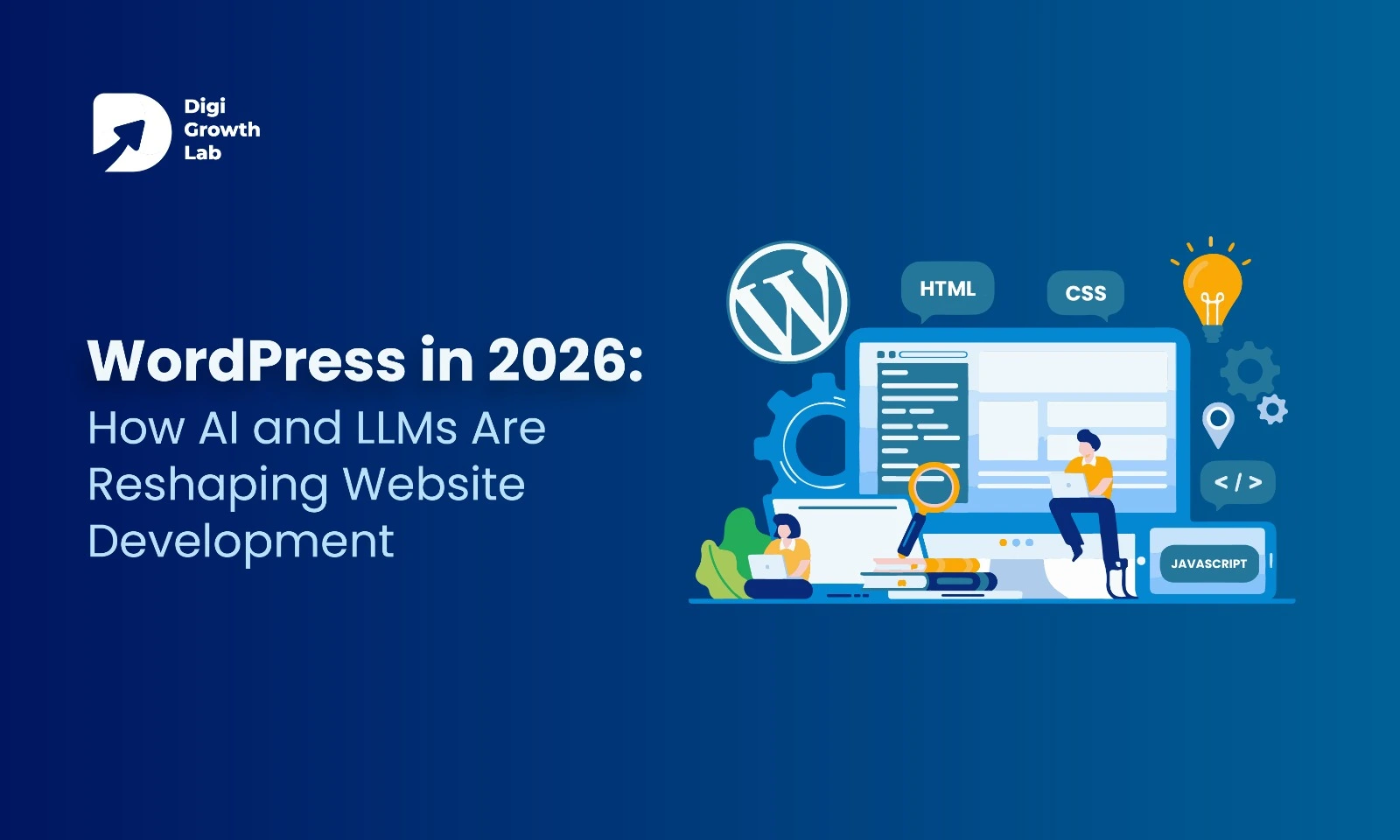
Go back five years. Building a WordPress site meant picking a theme. Changing a few settings. Then calling a developer for anything harder. In 2026, the whole game has changed.
Most business owners no longer want just a website. They want a site that feels personal, loads fast, and works for every visitor. That is where AI and Large Language Models come in. They are changing WordPress web design and development from the ground up. This shift reaches page design, content, security, and how people find you.
This is no longer a future promise either. In early 2026, WordPress.com added an AI assistant right inside its editor. The official WordPress roadmap now talks about putting AI everywhere in the platform. So the change is happening in the core, not just in a few plugins.
For a business, this means one thing. Working with a Web Design and Development Company is no longer about “getting a site live.” It is about getting a site that keeps learning and improving. Understand what is changing now, and you stay ahead when the rest catches up.
AI in WordPress Development Is Now Built Into the Platform
Many people still think WordPress is a place where you drop in a theme, add a few plugins, and post. In 2026, that picture is out of date. AI WordPress development is now built into the platform itself, not bolted on from outside. WordPress also runs more than 40% of all websites in the world.
Here is what that looks like in practice.
- It manages your site around the clock. You no longer log in only to patch code or fix a plugin. WordPress can sense a performance problem and act on it before your visitors notice. Think of a site manager who never sleeps, sitting inside your dashboard.
- It personalizes content for each visitor. AI does more than write your blog posts. It also watches how people behave in real time. A returning visitor can see a fresh headline, a new offer, or a service description shaped by what they viewed last time.
- It keeps your SEO ready for change. Search is moving away from keyword checklists. Google now shows AI Overviews and rewards content that matches intent. WordPress SEO plugins are shifting too. They now suggest ideas based on what a user wants, not just how often a keyword appears.
- It builds pages from plain words. Instead of dragging widgets, you describe what you want. Say “a modern homepage with a bold title, calm colors, and an email form near the top.” WordPress builds it for you.
WordPress even published AI guidelines in early 2026. They ask for honesty about AI use, and quality over volume. So the platform is not only adding AI. It is trying to keep it responsible.
This is the real shift. A WordPress site is no longer a fixed brochure. It becomes a living system that learns, improves, cuts costs, and lifts engagement over time.
No-Code WordPress Web Design and Development
One of the oldest struggles for business owners was simple to name and hard to solve. Turning an idea into a working website. Even drag-and-drop builders took time, patience, and usually outside help. In 2026, AI is lowering that wall. Building a site feels less like construction and more like a conversation.
Here is what is coming through.
- Create a site by talking to it. You can describe a page out loud. “Make me a homepage with a hero image, a call-to-action button, and three service features.” In seconds, the page appears. Days of design work shrink into minutes.
- Start from a blueprint for your industry. WordPress is moving past cookie-cutter templates. A restaurant owner can ask for “a modern restaurant site” and get an online menu, a booking area, and space for photos. A law firm can ask for “formal and trustworthy” and get sections for services, case studies, and client reviews.
- Personalize the design, not just the words. In the past, personalization meant swapping a line of text or an offer. Now the design itself can change. A visitor from your home city can see a version that features your local office. An overseas visitor can see a global version. You never manage two separate sites.
- Turn design into a conversion tool. AI does not only create layouts. It studies how people move through them. If visitors drop off at your pricing page, WordPress can test a new design or highlight a different message on its own. The design starts working as a sales tool.
- Let AI do the tasks, not just the drafts. Newer tools go a step further than writing. Elementor’s Angie, for example, can plan and carry out jobs across your whole site. It reads your themes, plugins, and structure, then acts. This is the move from AI that suggests to AI that does.
Here is where a strong design partner still matters. We spend less time on repeat coding cycles. We spend more time on strategy: the right look, the right voice, the right journey. If you are weighing your options, our guide on how to choose a web design and development company covers what to look for.
For a business, this means lower cost, faster testing, and a site that gets better each week. Good WordPress web design is no longer only about pixels and code. It is about giving every business, small or large, the tools to compete at a high level.
Improve WordPress User Experience (UX) With AI
The biggest change you will notice on WordPress sites in 2026 is not how they look. It is how they behave. For years, user experience meant clean menus, fast loading, and a mobile-friendly layout. That still matters. But AI adds a new layer. Sites now watch how people act and adjust themselves in real time.
Here is what that means day to day.
- Pages that fix themselves. If visitors keep abandoning your checkout, AI does not just send you a report. It can test a shorter form, move a button, or cut a step on its own. Your site improves while a sale is still on the line.
- Interactions that read the room. Some plugins now track small signals. Slow scrolling. Hesitation over a button. Repeated back-clicks, often called rage clicks. When a visitor seems stuck, AI can bring up a help chat or offer a discount before they leave.
- Accessibility as standard, not an add-on. AI-driven design now works to make sites usable for everyone. WordPress tools can write screen-reader descriptions, adjust layouts for color-blind visitors, and read pages aloud in several languages. Much of this happens without a separate add-on.
- Navigation that follows intent. Instead of one fixed menu, your site can change what it shows. A new visitor sees a guided tour. A returning customer sees account shortcuts. A corporate buyer sees bulk-order options. Three journeys from one site, built automatically.
For a business, this is a big shift. User experience is now a performance driver, not a design exercise. A modern site is pleasant to look at. It is also smart enough to remove friction and lift WordPress user experience on its own.
WordPress SEO for AI Search in 2026
Here is a point most WordPress guides still miss. The place people search is changing. So the way you get found has to change with it.
People now get answers in new spots.
- Google’s AI Overviews answer many questions right on the results page.
- AI assistants like ChatGPT pull answers from across the web. WordPress.com sites can even connect to ChatGPT directly.
Google is also moving search toward meaning, not just matching words. Its MUVERA method, introduced in 2025, is part of this shift. It rewards depth and clear topic coverage. It works against thin pages stuffed with keywords.
So what should you actually do?
- Write for people first. Answer real questions in plain, honest words.
- Build topic clusters. Cover a subject fully. Then connect the pieces with strong internal linking so both readers and search engines see the depth.
- Keep your site fast and easy to crawl. If AI cannot read your pages, it cannot quote them.
This is where design and search meet. A pretty site that no one can find still fails. Our SEO services get your pages ready for both classic search and AI answers, so your WordPress SEO holds up as search changes.
WordPress Security and Maintenance in the AI Era
If one thing keeps business owners up at night, it is this. Waking up to a site that is down, or worse, hacked. The old model of WordPress security was reactive. Install a plugin. Run a scan. Patch the hole after something broke. In 2026, that catch-up approach is not enough. AI is rewriting how security and upkeep work.
Here is where things are moving.
- AI that learns from global threats. Every WordPress site is part of a much larger network. AI tools now study patterns across millions of sites. If an attack appears in Europe at 2 a.m., your site in India can be protected before the attackers reach it.
- Risky updates flagged before they break things. Instead of waiting for a bad plugin update to cause chaos, AI scans the code, the developer history, and community chatter. It can warn you early. Something like, “this update may clash with your checkout, wait before installing.”
- Records ready for compliance. For healthcare, law, or finance, security is not only about keeping data safe. It is about proving you did. AI can generate security reports, track patch history, and help you meet rules like GDPR without hours of manual work.
- Fast recovery from downtime. Imagine your homepage crashes at midnight. Instead of waiting for a developer the next morning, AI rolls the site back to a stable version, keeps customers online, and sends you a report of what happened.
We help businesses put these safeguards in place so a preventable problem never costs you money, customers, or trust. WordPress security and maintenance is quietly moving from a background headache to a background strength.
Cut WordPress Costs and Improve Accessibility
One of the biggest promises of AI in WordPress is not smarter design or stronger security. It is making a professional website more affordable and more inclusive than before. In 2026, this shows up in two clear ways: lower costs, and better access for every kind of user.
- From cost centers to cost savers. Building and running a site used to mean paying a developer for every update, redesign, or fix. AI removes many of those recurring bills. Need a new landing page? Generate it in minutes. Broken plugin? The site can often heal itself. Content updates can run on their own. For a small business in Ahmedabad, this can mean enterprise-level features without an enterprise budget. For a larger company, marketing teams can test ideas without waiting on technical support.
- WordPress accessibility without extra spend. Making a site accessible once meant audits, manual fixes, and sometimes a full redesign. Now AI tools can add alt text, fix contrast, restructure headings for screen readers, and offer voice navigation. Work that used to need paid outside services is becoming a built-in advantage.
- Global reach at lower cost. Access is not only about disability. It is about language and culture too. AI translation makes it easier to launch multilingual sites that read as if written locally. That is a direct path to international customers, without hiring separate teams of translators.
The Hidden Risks of AI-Powered WordPress
AI inside WordPress is exciting. It is not a magic fix. If you are moving fast with new tools, slow down for a moment and ask a fair question. What could go wrong if I lean on this too hard?
Here are the risks that do not get talked about enough.
- AI plugins are still young. Many “AI-powered” plugins are barely two years old. They look great in a demo and struggle in real conditions. We already see AI content plugins clashing with WooCommerce, or auto-translation tools breaking a site’s navigation. The danger is not only bugs. It is downtime at the exact moment your business needs to be stable.
- Hidden lock-in. Many AI tools are free to start and costly to scale. Once you build your whole site around one plugin, leaving gets painful. Broken layouts. Lost data. A new system to learn. Today’s convenience can become tomorrow’s dependency if you do not plan for it.
- Accessibility can backfire. AI promises to handle accessibility for you. It is not perfect. An alt-text tool can describe an image wrongly. A translation tool can twist a meaning. In healthcare, law, or finance, that can turn into a legal problem, not just a bad experience.
- Every site starts to look the same. If every owner uses the same tools, WordPress sites begin to sound and look alike. Pre-built layouts and machine-written copy save time. They can also erase what makes your brand yours. A site that blends in may be safe. It also will not stand out.
What AI in WordPress Means for Business Owners and Marketers
The shift inside WordPress is strategic, not just technical. By 2026, how you run your site affects how well you attract customers, control costs, and protect your voice. It helps to look at this through two lenses.
For business owners:
- Budget for AI as a core cost. AI plugins will not stay optional extras. They will sit alongside hosting and SSL as basic costs. Smart owners already treat tools like Jetpack AI or Elementor AI as a running investment.
- Avoid over-dependence. Cheap or free plugins look attractive now. Moving away later could mean rebuilding whole sections of your site. Budget for adoption, and for flexibility.
- Protect compliance and reputation. AI choices affect more than function. They shape how trustworthy your brand looks. If AI content mishandles privacy or access, both customers and regulators will notice.
For marketers:
- Learn to brief AI well. By 2026, marketers who can instruct AI clearly will outpace those who cannot. Knowing how to guide a content or SEO tool matters as much as writing a headline.
- Guard your brand voice. AI can write endless posts. It cannot copy your positioning or tone unless you teach it. Marketers will need to shape these tools so the output feels real, not generic.
- Prepare for AI-driven search. With AI Overviews and meaning-based ranking, keyword lists will not carry you. Think in topics and intent, not single phrases. AI can help, but the human plan comes first. That is the core of good professional SEO services today.
How to Start With AI in WordPress
You do not need to adopt everything at once. Start small and build.
- Pick one problem. Maybe slow pages, weak content, or a clunky checkout.
- Try one trusted tool for it. Watch the results for a few weeks.
- Keep a human in the loop. Review what the AI produces before it goes live.
- Grow from there. Add the next tool once the first one earns its place.
How DGL Delivers Future-Ready WordPress Web Design and Development
At Digi Growth Lab, we go past basic design. We deliver WordPress web design and development that is secure, easy to scale, and ready for an AI-driven web.
- We build smart. We combine modern design, strong SEO foundations, and AI-ready tools, so your site adapts as technology moves.
- We keep it running. From updates to security checks, we keep your site fast, safe, and working, so you do not have to worry about it.
- We tie design to growth. Our Web Design and Development Services aim at long-term visibility. We build to attract and convert the right audience, not just to launch.
With DGL as your Web Design and Development Company, you get more than a site. You get a partner who is committed to helping your business grow.
Not sure if your WordPress site is ready for 2026?
We will review your design, speed, and SEO setup, then tell you plainly what is working and what needs fixing.
Frequently Asked Questions
How is AI changing WordPress web design in 2026?
AI is changing WordPress web design in 2026 by building itself into the platform, not just adding plugins. It now helps create pages from plain descriptions, personalizes content for each visitor, watches user behavior, and flags security risks early. In short, a WordPress site is becoming a living system that learns and improves, not a fixed brochure.
Does WordPress have built-in AI now?
Yes. In early 2026, WordPress.com added an AI assistant right inside its editor. You can type a request like “make this header more modern” and watch it change. The official WordPress roadmap also points toward putting AI across the whole platform, so it is a core direction, not a side feature.
Can I build a WordPress website without coding using AI?
Yes, you can build a WordPress website without coding by describing what you want. AI website builders turn a short prompt into a full first draft with text, layout, and images. Some tools also start from industry blueprints, like a restaurant site with a menu and booking area. A human still needs to review and refine the result.
How do I make my WordPress site show up in AI search?
To show up in AI search, write for people first and answer real questions in plain words. Build topic clusters and connect them with strong internal linking, so search engines see real depth. Keep your site fast and easy to crawl, because if AI cannot read your pages, it cannot quote them in AI Overviews or assistants like ChatGPT.
Is AI-powered WordPress safe to use?
AI-powered WordPress can improve security, but it is not risk-free. AI now spots threats across millions of sites and can warn you before a bad update breaks something. The risks are young plugins that clash with your setup, tool lock-in, and auto-features that miss. The safe approach is to start small and keep a human reviewing before anything goes live.
Does AI make a WordPress website cheaper to run?
Yes, AI can lower the cost of running a WordPress site by cutting many small developer bills. You can generate a landing page in minutes, and the site can often heal broken plugins on its own. Accessibility fixes like alt text and contrast can happen automatically too. For a small business, that means more features without an enterprise budget.