
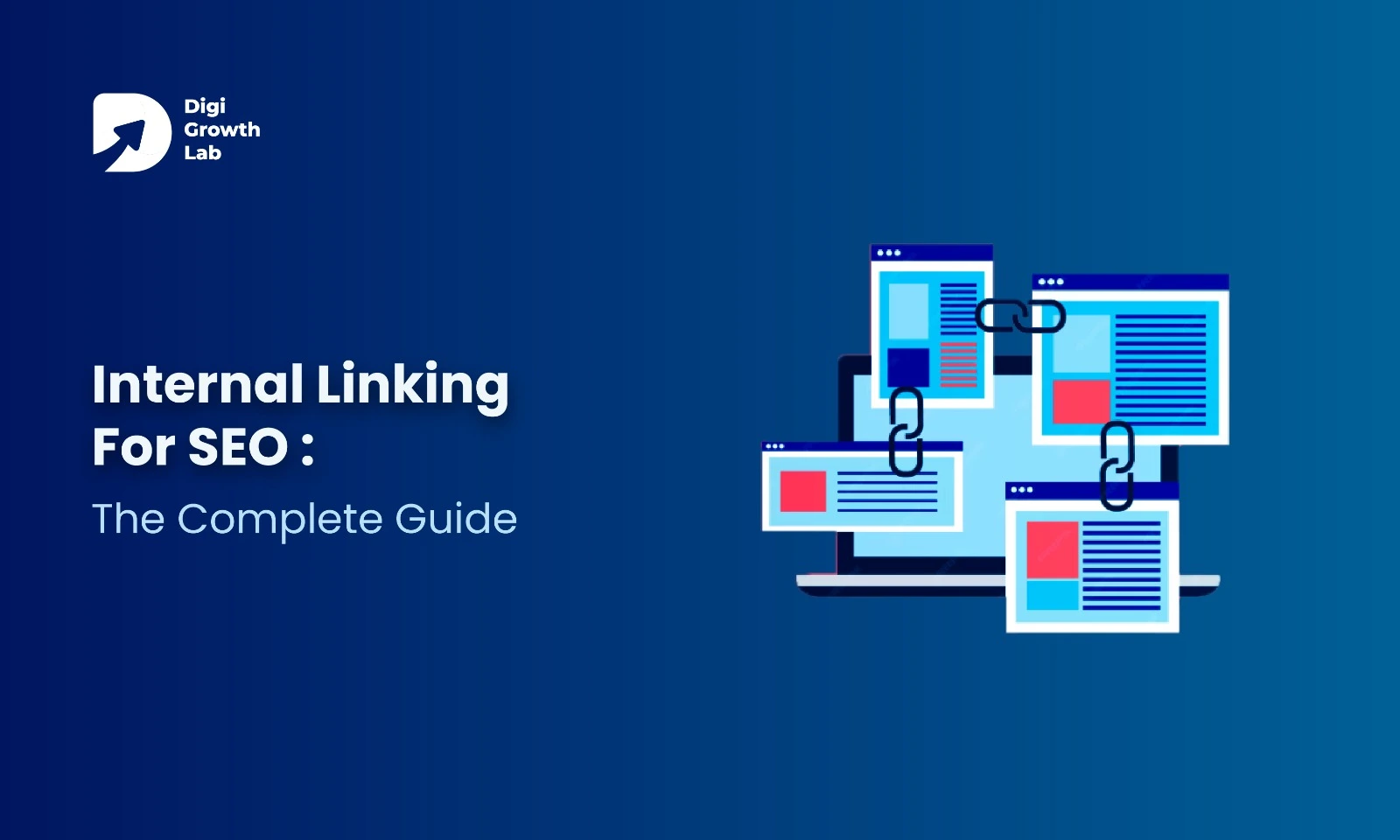
A lot of sites have solid content but still don’t rank well or hold attention. The reason is often simple. The pages don’t link to each other.
That’s where internal linking comes in. When you link your pages the right way, you make it easier for search engines to crawl your site. You also help readers move from one page to the next without hitting a dead end.
Internal links do more than pass authority. They guide people around your site. They put your best pages in front of readers. They pull visitors deeper into your content. Leave them out, and your site never quite feels complete.
What are Internal Links?
Think of your website as a city. Each page is a building. Internal links are the roads between them. Take the roads away, and visitors just wander. Even your best pages stay hidden.
In SEO terms, internal links guide both people and search engines through your site. They point to the pages that matter most.
External backlinks come from other websites. You can’t always control those. Internal links are different. They sit fully in your hands. That’s what makes them so useful, and so easy to ignore.
A good SEO company usually starts by fixing internal linking. It shapes how your whole site is built. It keeps pages from getting stranded with nothing pointing to them. It groups related content into clusters.
Put a link in the right spot, with the right anchor text, and you decide where a visitor goes next. You also decide how authority moves across your pages. Simply put, internal links are the blueprint for how your site talks to both people and Google.
Types of Internal Linking in SEO
When people hear “types of internal links,” they often imagine a dry checklist. But in practice, each type has a role to play in how your website feels and functions. Here’s what really matters:
Navigation Links

Your main menu, footer, and top-level navigation work like a city’s metro system. They set the foundation for movement. If your homepage is the central station, these links keep every important area of your site just a few clicks away. Weak navigation confuses people and search engines alike. It doesn’t matter how good your content is if no one can find their way around.
Contextual Links

These are the quiet guides you drop inside your articles or product pages. They tell a reader, “Want to go deeper? Here’s where to look.”
For Google, they create topical connections. They show that your site covers a subject in real depth. That’s how you build topical authority. And authority brings better traffic over time.
Supportive Links (Sidebars, Footers, Widgets)

These often get overlooked. Think of them as gentle nudges. Related articles. A “popular posts” list. Product recommendations.
Done right, they keep people reading and bring bounce rates down. Done wrong, they just add clutter.
Breadcrumbs

Breadcrumbs don’t just look neat; they teach Google how your pages are organized. They also rescue users who land deep in your site from search results and want to backtrack without hitting “back” ten times.
Visual/Internal Media Links
Banners, clickable images, or product thumbnails can be powerful internal links. Many e-commerce stores rely on them heavily. The mistake? Forgetting to optimize their anchor signals with descriptive alt text. That’s lost SEO value.
Why Internal Links Are an Important Part of Your SEO Strategy
Internal links get called “just connections between pages.” In practice, they are the blueprint. They decide how search engines and users read your website. A weak linking setup leaves great content hidden. A strong one makes your site easier to crawl, understand, and trust.
Technical Strength
Search engines don’t find every page on their own. They follow links. A solid internal linking network lowers the risk of orphan pages. It also guides crawlers toward the URLs that matter most. That improves crawl efficiency. Google spends its time on the pages you want indexed and ranked, not on duplicates or thin content.
Content Authority
Internal links shape your topical depth too. Link your articles, product pages, and guides with clear anchor text. This builds a visible network of related ideas. It tells Google your site covers a topic in full, not just once. This cluster-based approach strengthens topical authority. Your pages start to rank as a group, not in isolation.
Strategic Value Distribution
Not every page deserves equal visibility. Some links are functional, like menus, footers, and sidebars. Others are placed on purpose inside your content to pass relevance and authority. Give those links priority. You can lift up cornerstone content, service pages, or high-converting URLs without leaning only on external backlinks.
User Experience and Conversions
For a visitor, internal links shape the journey. They show what’s relevant, what comes next, and where to go deeper. That keeps bounce rates down and readers engaged. It also moves them closer to action, whether that’s a sign-up, a purchase, or a contact form. A site with no real internal linking feels scattered. One with it feels natural and easy to explore.
The Bigger Picture
When technical SEO, content authority, and user experience line up, internal linking stops being a background task. It becomes a core part of your SEO strategy. It helps you control how your site is crawled, how your expertise reads, and how your visitors convert. Internal links don’t sit on the side of SEO. They are a real part of it.
How Internal Links Improve Your Website User Experience
It’s easy to see internal links as just an SEO tool. But for visitors, they quietly shape how your site feels to use. A well-linked site is easy to explore. A poorly linked one feels like a maze.
Strong internal linking creates small journeys. A visitor reading an article isn’t left at a dead end. They’re shown the next useful step right when their curiosity peaks. That might be a related guide. A product page. A comparison article. These little nudges keep people moving forward instead of bouncing away.
Good linking also takes the effort off your reader. No hunting through menus or search bars. Links inside the content point them straight to answers. Navigation feels smoother. They reach what they came for faster.
There’s a trust angle too. Smart internal linking shows you’ve thought ahead. When a reader feels the site gets what they’re looking for, they tend to stay longer, come back, and convert in the end.
Quick UX Checklist for Internal Links:
- 3-Click Reach: Can users get to key pages in three clicks or less?
- Contextual Fit: Do links appear where they add value, not randomly?
- Reduced Backtracking: Can users move forward instead of hitting the back button?
- Engagement Loop: Do links encourage readers to explore multiple pages in one session?
In short, internal linking isn’t just SEO hygiene, it’s UX design. It makes your site easier, faster, and more satisfying to explore, which is exactly what both people and Google reward.
How to Set Up an Effective Internal Linking Structure?
Setting up internal linking isn’t about scattering a few links around. It’s about building a structure that moves users and search engines smoothly across your site. Here’s a simple process to follow.
Step 1: Identify Your Cornerstone Pages
Start with the pages that matter most. Your service pages, product categories, or in-depth guides. These are the URLs you want to rank higher, because they bring the most business value. Make a shortlist. Now you know which pages deserve your strongest internal links.
Step 2: Map Your Content Clusters
Next, group related content around each cornerstone page. Say your cornerstone is “Local SEO Services.” Your supporting posts could cover topics like Google Business Profile optimization, local citations, or customer review strategies. Link the smaller posts to the cornerstone, and back again. That creates a clear hub-and-spoke model.
Step 3: Find Linking Opportunities
Look at the content you already have. Ask one question: where can I add a link that actually helps the reader? Use site search (site:yourdomain.com “keyword”) to find relevant posts fast. Then update those pages with contextual links that point to your cornerstone pages.
Step 4: Apply the 3-Click Rule
Check how many clicks it takes to reach your cornerstone pages. If one sits buried too deep, add links from menus, hubs, or category pages to pull it closer. Keep your key pages within three clicks. It helps both user flow and crawl frequency.
Step 5: Keep It Alive
Internal linking isn’t a one-time job. Every time you publish something new, connect it to your existing clusters. And revisit your old high-traffic posts. Update them with links to fresh pages. This keeps your site structure strong as it grows.
How a Lack of Internal Links Hurts Your SEO?
When your site doesn’t use internal links well, both search engines and visitors run into dead ends.
For Google, disconnected pages often turn into orphan pages. They exist on your site, but they stay invisible in search. If Google can’t crawl them, they may never get indexed.
Even when crawlers do find them, weak linking means weak authority distribution. Pages with no internal links pointing to them rarely rank well. Meanwhile, less important pages can end up getting more attention. Your best content gets buried.
It hurts crawl efficiency too. Search engines only have so much time to explore your site. Without clear linking, they spend it on low-value paths and skip the content that should matter most.
For users, broken linking damages both experience and trust. Visitors don’t want to dig through menus. They expect natural paths inside your content. Without them, they bounce. And Google notices.
In short, weak internal linking means:
- Search engines struggle to find and prioritize your pages.
- Users feel stuck and leave sooner than they should.
- Your strongest pages never reach their full ranking potential.
The fix is simple. Connect your content with care. When every page has a clear way in and out, both users and search engines understand your site better.
How to Detect and Solve Internal Linking Gaps?
Even if you publish great content, it won’t perform well if it’s hidden behind weak or missing links. The good news is you don’t need expensive tools to find and fix these issues. Free resources like Google Search Console (GSC) can show you most of what you need.
Detecting Internal Linking Gaps
Check “Coverage” in GSC

Pages marked as “Crawled – currently not indexed” or “Discovered – not indexed” may lack strong internal links. If Google can’t find enough signals, it won’t prioritize them.
Look at the “Links” Report in GSC

Under “Internal Links,” you’ll see which pages receive the most links and which get the least. If an important page has very few internal links, that’s a clear gap.
Use Site Search
Type site:yourdomain.com “topic keyword” in Google. If your new or important page doesn’t show up as often as related ones, it likely isn’t being linked where it should.
Solving Internal Linking Gaps
Strengthen priority pages
Add links from your top-performing blogs or hub pages to underlinked product/service pages. Pass authority from strong pages to weaker ones.
Apply the 3-click rule
Reorganize site structure so that key pages are always within three clicks from the homepage or hub. This improves both crawl frequency and user flow.
Use intent-based anchor text
Take queries from GSC and build anchor text around them. This creates links that match real user search intent, not vague “read more” links.
Refresh old content with new links
Update older posts with contextual links pointing to newer or overlooked pages. This keeps your content network alive and helps new pages get indexed faster.
Build or update hub pages
Create central guides or category hubs and link related content into them. This reduces isolation, distributes authority, and strengthens topical relevance.
Free Tools Beyond GSC
Screaming Frog (Free up to 500 URLs)
1. Set up a clean crawl
- Open Screaming Frog → Configuration ▸ Spider → enable XML Sitemaps (add your sitemap URL).
- Configuration ▸ Exclude → strip tracking params (e.g., ?utm_*, ?ref=*) so you don’t waste the crawl.
- Crawl Analysis ▸ Start to generate depth and link metrics.
2. Spot weakly linked or buried pages
- Go to the Internal tab → filter HTML and Status 200 → sort by Inlinks (asc). Pages with 0–2 inlinks are your first fixes.
- Open Visualisations ▸ Crawl Tree to see deep nodes (long branches = too many clicks).
- Bulk Export ▸ All Inlinks to a CSV and filter targets with low inlinks from important sections.
3. Turn findings into fixes
- For each low-inlink target, choose 2–3 donor pages (topical matches, high traffic, or authority).
- Add contextual, above-the-fold links using descriptive anchors that match the target’s intent.
- If a key page sits >3 clicks from the homepage or hub, add a link from a hub/category page to pull it closer.
Ahrefs Webmaster Tools (free)
1. Run a Site Audit
- In AWT, add/verify your site → set crawl (enable JS only if your site needs it) → Run Audit.
2. Find pages starved of internal links
- Site Audit ▸ Internal pages → show columns for Inlinks and Depth → filter Inlinks = 0–2 and Depth ≥ 4 to surface priority gaps.
- All issues → check Orphan pages. If present, re-link them from hubs and relevant articles.
3. Use Page Explorer for anchor ideas
- Page Explorer → filter HTTP 200 + Inlinks = 0–2 → open a target page → view Anchors used on your site.
- If anchors are vague or repetitive, diversify with query-based phrases (from your GSC work) and place them in high-visibility paragraphs.
4. Ship, then re-check
- After placing links, re-crawl in AWT Site Audit next cycle and confirm: Inlinks ↑, Depth ↓, and Orphan issues resolved.
Best Internal Linking Practices to Follow
Most guides repeat the same advice. “Use good anchor text.” “Avoid overlinking.” Those are the basics. If you want your internal linking strategy to actually move the needle, here are the advanced practices experienced SEOs follow.
Direct authority toward revenue pages
Not every page deserves the same number of internal links. Put your focus on the URLs that matter most to your business. Service pages. Product categories. Cornerstone guides. This way, your internal link equity supports growth, not just traffic.
Turn top performers into link donors
Your high-traffic blogs and pages already pull in visitors and backlinks. Refresh them often with links to newer or weaker pages. That passes authority into the parts of your site that need visibility most.
Build anchors from real search queries
Stop guessing your anchor text. Pull the queries from Google Search Console for the target page instead. Use those phrases as anchors, and keep them natural. Now your internal links match how people actually search.
Balance cluster and cross-cluster linking
Most SEOs only link within the same content cluster. That matters, but don’t stop there. Add the occasional cross-cluster link too. Say, from a blog on “SEO strategy” to one on “content marketing.” It strengthens the semantic ties and helps Google see your expertise across topics.
Watch link placement, not just quantity
Links near the top or middle of your content carry more weight than ones buried at the bottom. Put your important internal links where readers are most engaged. The impact is stronger there.
Evolve navigation with intent
Don’t let your navigation sit still. Rotate seasonal offers, trending guides, or campaign pages into your header and footer links. This keeps your most relevant pages getting authority and visibility.
Common Internal Linking Mistakes to Avoid
Even with good intentions, plenty of websites get internal linking wrong. Here are the mistakes worth avoiding if you want your links to actually add value.
Linking only forward, never backward
Many site owners link from new pages to older ones. Then they forget to go back and update the old content with links to the new pages. This leaves fresh content underlinked and harder to rank.
Ignoring page depth
Some important pages end up buried four or five clicks deep. If your visitors and crawlers can’t reach them quickly, those pages lose visibility and authority.
Overusing the same anchor text everywhere
Repeat one anchor phrase across dozens of pages, and it starts to look forced. Mix your anchors instead. Pull from real search queries, related terms, and plain natural language.
Sending too much equity to low-value pages
Blogs often overlink to tags, archives, or minor posts instead of key service or product pages. This spreads your authority thin instead of building it up.
Cluttering pages with irrelevant links
Linking just to link confuses readers. It also signals no clear priority to search engines. Every internal link should do a job. It should guide, clarify, or add context.
How DGL Helps You Build a Stronger SEO Foundation
To sum up, a deliberate internal linking strategy is one of the most powerful and controllable assets in your SEO toolkit. Build clear paths for users and search engines, and you do more than lift rankings. You also make your site more intuitive and useful to visit. Start with your cornerstone pages. Fix the gaps you already have. Then make internal linking a steady part of your content process.
At Digi Growth Lab, we see SEO as bigger than keywords and backlinks. It’s about building a structure that works for search engines and people alike. Our SEO services cover every part of that. We fix technical issues. We set up internal linking that works. We build content clusters that grow your authority. We design strategies that improve crawlability, rankings, and conversions, all while keeping your site easy to navigate. With clear insights and steady support, we help you reach lasting growth, better visibility, and long-term success in search.
Not sure if your internal links are helping or holding you back?
We will audit your site structure and internal linking, then tell you plainly what is working and what needs fixing.
Frequently Asked Questions
What is internal linking in SEO?
Internal linking is the practice of connecting one page on your website to another page on the same website. These links help search engines crawl your site and understand how your pages relate. They also guide visitors from one piece of content to the next.
Why is internal linking important for SEO?
Internal linking is important because it shapes how search engines find, rank, and prioritize your pages. Strong links pass authority to your most valuable URLs. They prevent orphan pages, improve crawl efficiency, and keep readers moving through your content instead of bouncing away.
What is the difference between internal links and external links?
Internal links point to other pages on your own website. External links point to pages on a different website. The main difference is control. You decide every internal link on your site, which makes them one of the easiest SEO wins to manage.
How many internal links should a page have?
There is no fixed number. Add as many internal links as genuinely help the reader, and no more. Focus on quality over quantity. Every link should guide, clarify, or add context, not just fill space.
What are orphan pages and how does internal linking fix them?
Orphan pages are pages with no internal links pointing to them. Search engines struggle to find them, so they often go unindexed. Internal linking fixes this by connecting these pages to related content, giving both crawlers and users a clear path to reach them.
What is anchor text and why does it matter for internal links?
Anchor text is the clickable words that carry a link. It matters because it tells both readers and Google what the linked page is about. Use clear, natural anchor text that reflects real search queries, and avoid repeating the same phrase across every page.