
Search advertising is rarely as tidy as it looks in a course. You can spend hours building a keyword list, feel like you’ve covered every angle, and still miss demand you never saw coming. New search queries show up every single day. In competitive markets, that gap widens fast, because buyer behaviour keeps shifting and the way people phrase things keeps evolving.
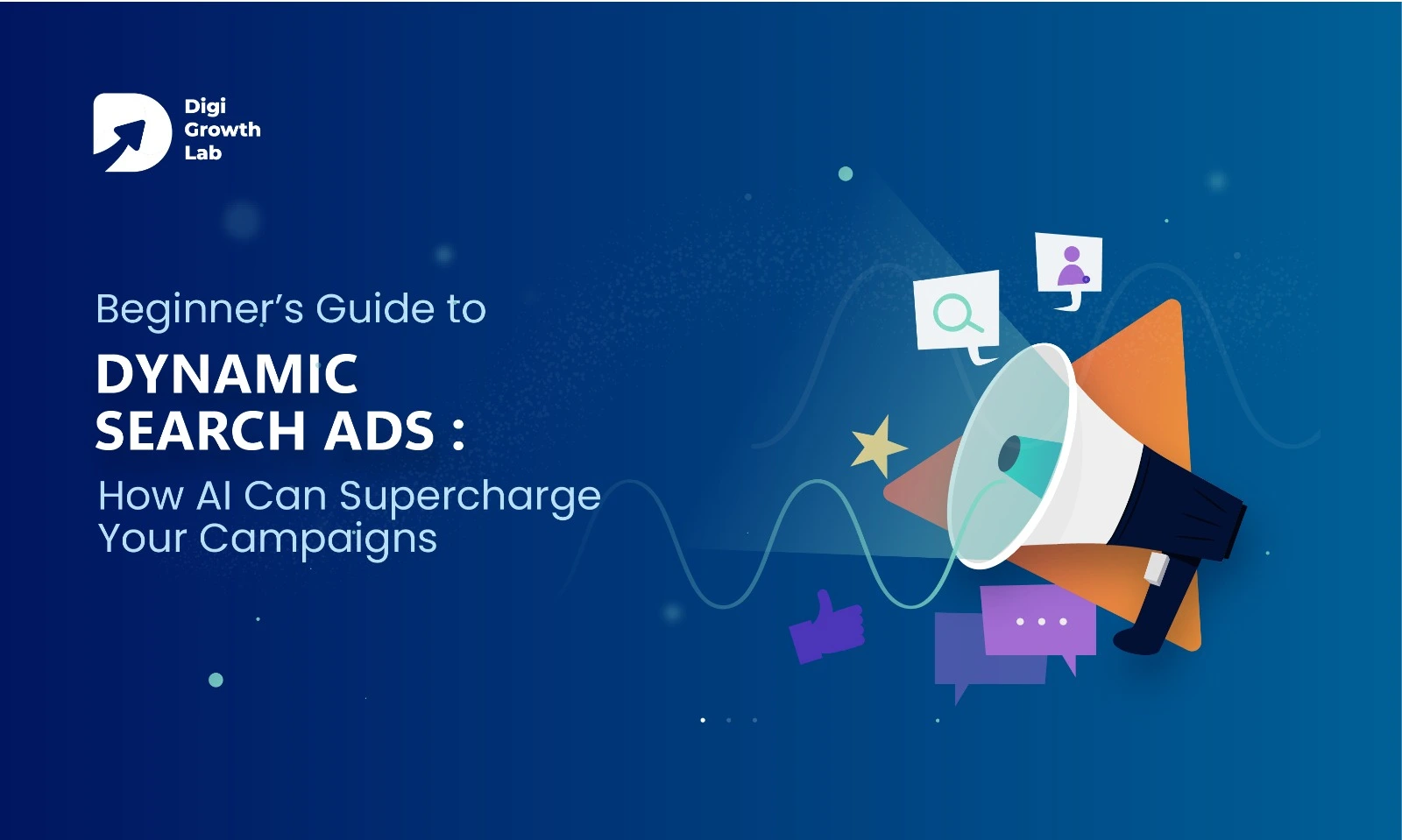
This is exactly the problem Dynamic Search Ads (DSAs) were built to solve. Instead of leaning only on the keywords you type in, DSAs let Google’s AI read your website, match your pages to real searches happening right now, and generate ad headlines on the fly, capturing demand you didn’t plan for.
In this guide, we’ll walk through what a beginner actually needs to know about DSAs, from setup logic to optimisation, minus the filler. You’ll see where AI quietly fills the gaps, why DSAs matter for anyone new to paid search, the risks most blog posts skip over, and how DSAs fit into a wider PPC management approach so you get real ROI instead of a runaway budget.
What Are Dynamic Search Ads?
Dynamic Search Ads are a Google Ads campaign type that flips the usual process on its head. Rather than building a huge keyword list first, you point Google at your website. It scans your content and, when someone searches for something related, it dynamically writes a headline and sends that person to the most relevant page on your site.
If you’re still getting your head around how paid search works in general, it’s worth reading how the different types of Google Ads compare, because DSA behaves quite differently from a standard Search campaign.
The easiest way to picture a DSA is as a safety net. Your keyword campaigns go after the obvious, high-intent searches. DSAs quietly scoop up the long-tail queries and odd phrasings you’d never have thought to add.
Here’s a simple example. Say you sell handmade leather shoes. Your keyword campaign targets terms like “buy leather shoes” or “men’s leather shoes.” Now a customer searches “hand-stitched Italian leather shoes near me.” If that exact phrase isn’t in your list, your regular campaign sits it out. A DSA, on the other hand, reads your product page, generates a headline like “Shop Handmade Italian Leather Shoes,” and points the searcher to the right landing page.
You never planned for that query, but you caught it anyway. That’s the whole idea.
Why DSAs Matter When You’re Just Starting Out
DSAs aren’t just a convenient shortcut. They solve some of the real, practical problems beginners run into in their first few campaigns.
They catch the searches you’d never have listed. New advertisers naturally build lists around the obvious terms. But people search in wildly different ways, and DSAs match those unexpected queries to your pages, so you reach traffic your keyword list quietly leaks.
They hand you free keyword research. The search term report from a DSA shows you the exact phrases people used to find you. That’s gold. You can lift the best-performing terms straight into your keyword campaigns with proof they already convert.
They point out where your website is weak. If Google struggles to write a decent headline from a page, that’s usually a sign the page title or copy isn’t clear enough. In that sense, DSAs double as a quiet audit of your site, and the fixes tend to help your SEO too.
They stretch a small budget further. Instead of paying premium prices for a handful of competitive head terms, DSAs surface long-tail queries that often cost less per click. When you’re working with a modest budget, that difference adds up.
They ease you into an automated future. Google Ads keeps moving toward automation, and DSAs are a low-risk place to learn how to work with that automation rather than fight it, watching results, adding negatives, and tightening targeting as you go.
Put simply, DSAs catch hidden opportunities, feed you useful data, and make campaigns more efficient, all while helping you build a solid foundation in paid search.
How Dynamic Search Ads Actually Work
On the surface, a DSA looks straightforward: Google scans your site, matches queries, writes a headline. But there’s a fair bit going on underneath, and understanding it changes how you set things up.
Google doesn’t use your entire site. It builds an index of the pages it considers relevant and “eligible” to run ads. Thin content, weak copy, or messy page structure often gets skipped. So the quality of your website directly decides how much reach a DSA can even have.
Matching goes well beyond exact words. DSAs aren’t just pairing a query with words that literally appear on a page. Google leans on entities and categories, so a “Men’s Running Shoes” page might still get matched to “lightweight marathon sneakers.” It reads the intent of a page, not just its vocabulary. And it favours pages you keep fresh over ones that have gone stale.
Headlines come from real signals on your page. The headlines a DSA generates aren’t pulled out of thin air. They’re built from your title tags and H1s, prominent blocks of text Google judges relevant, and, on e-commerce sites, your product or category taxonomy. If your DSA headlines read clumsily, that’s almost always a sign your on-page elements need tightening.
Intent decides which page gets shown. Google doesn’t just grab any page that vaguely fits. It weighs the intent behind the query (informational versus transactional), how deep the page content is, and how that page has performed in past impressions. Over time, the system learns which of your pages actually convert.
It runs as a live feedback loop. This is the part people miss. Every impression and click teaches Google something about your site. Pages that perform get shown more; weaker ones fade out. Without you touching a keyword list, your ad coverage keeps quietly refining itself.
So a DSA isn’t really “scan and match.” It filters your site, reads intent, builds headlines from structured elements, picks landing pages based on performance, and keeps adjusting, all of it resting on how well your website is built and maintained. If that foundation is shaky, no amount of automation will save the campaign, which is one reason a well-structured site from a proper web development build pays off long after launch.
Where AI Actually Improves Your DSA Performance
DSAs only exist because of AI. But the value isn’t simply “Google writes a headline for you.” It’s that the system keeps learning, adapting, and sharpening the campaign in ways you couldn’t do by hand. Here’s where that actually shows up.
It thinks in patterns, not straight lines. Most of us reach for the obvious: “shoes,” “buy shoes,” “best shoes.” The AI connects patterns across billions of searches, so it can tie your content to something like “lightweight sneakers for rainy weather,” a phrase you’d never have added. That’s not just extra reach; it plugs the leaks where campaigns usually lose potential customers.
It picks the landing page, not just the homepage. When someone searches, the system weighs content depth, relevance, and past conversion signals to choose the page most likely to perform, then sends more traffic to the pages that keep winning. Your conversion rate improves without you rebuilding anything.
It shapes headlines around the exact query. Instead of one generic line, the AI pulls phrasing from your site to match what the person actually typed. Search “affordable leather boots with free shipping,” and if your page mentions free shipping, the headline can lead with it. That real-time relevance lifts click-through rates.
It learns from every impression. Each time your ad shows, the system notes the query, the page used, how the headline did, and whether the click converted, then feeds that back in. Winning combinations rise; weak ones drop away. It’s a level of continuous optimisation no human could match at that scale.
It surfaces insights you can use elsewhere. Those DSA search term reports are worth their weight in gold. They reveal emerging queries, overlooked customer needs, and phrasing you hadn’t considered, all of which can guide your keyword campaigns, your content, even how you position your products. In other words, a DSA doesn’t only improve itself. It strengthens your whole paid search strategy.
Pro Tips for Making DSAs Actually Work
DSAs can deliver, but only if you guide the automation instead of leaving it on autopilot. Most guides stop at “use negatives” and “add extensions.” Here are the tactics that move the needle, still beginner-friendly.
Build a safe zone with dedicated landing pages. Rather than letting a DSA loose across your whole site, create clean, well-structured landing pages for your most important categories and point the campaign at those. It keeps Google from pulling irrelevant pages and keeps the AI focused on content that converts.
Treat your descriptions like headlines. Google writes the headlines, but you still write the description lines, and a lot of advertisers forget that. Make them punchy and benefit-led, and vary them across ad groups. Well-tested descriptions can genuinely double the impact of an AI-generated headline. (This is also where relevance quietly feeds your Quality Score, which keeps your cost per click in check.)
Use DSAs as a discovery layer, not a standalone campaign. The real payoff is what they teach you. Run them alongside your keyword campaigns, pull top-performing queries into their own keyword ad groups, and use them to spot new product or service categories your customers clearly care about. Treated this way, a DSA doesn’t just run ads; it helps your strategy evolve.
Segment by buyer journey. Don’t lump every page into one bucket. Point informational pages at top-of-funnel queries, product and service pages at ready-to-buy searches, and blog or resource pages at remarketing. This gives the AI a much clearer read on intent. If you’re unsure how to lay that out cleanly, our guide to Google Ads structure walks through campaigns, ad groups, and how to keep it all organised.
Watch the quiet performers. Not every winning query arrives with a flood of clicks. Some quietly bring in high-value leads at low volume, and beginners often miss them because they’re chasing volume over value. Scan your search term report for these hidden gems and give them their own ad group or a little more budget.
Keep your content fresh to feed the AI. DSAs run on your website’s content. Stale, thin pages hold the whole system back. Updating product descriptions, adding FAQs, or clarifying a service doesn’t just help your ads; it strengthens your organic presence too, which is why paid and SEO work should never live in separate silos.
How to Measure Whether Your DSAs Are Working
Running the campaign is the easy half. Knowing whether it’s working, and why, is where most beginners get stuck. DSAs throw off a lot of data, but not every number tells you anything useful. Here’s how to read the ones that matter and turn them into action.
Search term quality
This is the foundation. DSAs live or die on the queries you didn’t plan for, and the quality of those queries tells you whether Google understands your site. Check the search term report regularly. Move high-converting queries into keyword campaigns where you have more control, and add irrelevant ones as negatives before they eat your budget. If your search terms look random, the problem is usually your site structure or content, not the campaign.
Landing page performance
Google chooses where to send your traffic, but not every page converts equally well. Compare your pages on click-through rate, conversion rate, and bounce rate. Keep the strong ones in rotation, and either fix or exclude the weak ones, better copy, clearer calls to action, whatever the page is missing. If your clicks are landing but not converting, our breakdown of why Google Ads get clicks but no leads covers the usual culprits.
Click-through rate as a relevance signal
A healthy CTR means your headlines and the queries behind them are lining up. A low one usually means Google is matching queries poorly, or your content just isn’t compelling enough. If it’s dragging, tighten your targeting to specific pages or categories and test different description lines. Read CTR as a relevance check, not a vanity metric.
Conversion rate, the real scoreboard
Clicks don’t pay the bills; conversions do. This is where you find out whether the AI is bringing you the right people. Look at conversion rate by query and by page, shift budget toward the segments that convert, and refine or cut the ones that don’t. Never judge a DSA by traffic alone.
CPA and ROAS
DSAs expand your reach, but expansion only helps if the cost stays sensible. Compare your cost per acquisition against your keyword campaigns, and if you’re running e-commerce, track return on ad spend, does the revenue genuinely outweigh the spend? A DSA should either lower your acquisition cost or open up profitable new reach. If it’s doing neither, something’s off, and wasted spend is more common than people think, as our look at why most Google Ads campaigns waste 30–50% of their budget makes clear.
Trends over time, not snapshots
DSAs get better as the AI learns, so week one might look underwhelming while weeks three and four come good. Track CTR, conversions, and CPA across 30 to 60 days and look for the improvement curve. If the metrics stay flat, adjust your targeting, but don’t pull the plug too early. The system needs enough data before its verdict means anything.
The Bottom Line on DSAs
Dynamic Search Ads bridge the gap between the keywords you planned for and the searches your customers actually type. They uncover new opportunities, cover your blind spots, and get sharper over time, but only when you steer them with a clear strategy. Left completely alone, they’ll happily spend your budget on pages you never meant to promote.
If you’re brand new to all of this, it helps to understand what Google Ads is and how it works before you lean on automation to run parts of it for you.
At Digi Growth Lab, we don’t treat DSAs as a set-and-forget feature. We use them to discover profitable queries, sharpen landing pages, and strengthen the wider account, combining Google’s automation with the kind of hands-on judgement it can’t replace. That’s how our pay-per-click advertising services and Google Ads management turn a search campaign into a channel you can actually rely on for growth.
With the right mix of technology and strategy, you’re not just running ads. You’re scaling smarter.
Are Your Google Ads Capturing Every Search That Matters?
Dynamic Search Ads only pay off when strategy guides the automation. If yours are missing searches or wasting spend, let’s take a closer look.
Frequently Asked Questions
What are Dynamic Search Ads in Google Ads?
Dynamic Search Ads (DSAs) are a Google Ads campaign type that generates ad headlines and landing page matches automatically by scanning your website content, instead of relying on a keyword list you build manually. When someone searches for something related to your pages, Google’s AI creates a relevant headline in real time and sends them to the best-matching page. This makes DSAs useful for capturing long-tail and unexpected searches your keyword campaigns miss.
Are Dynamic Search Ads good for beginners?
Yes. DSAs are a beginner-friendly way to start with search advertising because they don’t require an exhaustive keyword list to get going. They catch searches you didn’t plan for, reveal the exact phrases customers use (which doubles as free keyword research), and ease you into working with Google’s automation. The key is to monitor results, add negative keywords, and refine targeting rather than leaving them fully on autopilot.
How do Dynamic Search Ads choose which page to show?
Google’s AI weighs several signals to pick the landing page: the intent behind the query, how deep and relevant the page content is, and how that page has performed in past ad impressions. It also uses entities and semantic context, so a page can match a query even when the exact words don’t appear on it. Over time, the system learns which of your pages convert best and directs more traffic to them.
What is the difference between Dynamic Search Ads and regular keyword ads?
Regular Search ads are triggered by the specific keywords you add to your account, while Dynamic Search Ads are triggered by your website content and Google’s read of the search intent. Keyword campaigns give you tight control over the obvious, high-intent searches; DSAs act as a safety net that captures long-tail and unplanned queries. Most advertisers run both together, using DSAs to discover new queries and moving the best performers into keyword campaigns.
Do Dynamic Search Ads waste ad budget?
They can, if left unguided. Because DSAs match a wide range of queries automatically, they may show for irrelevant searches that spend money without converting. You control this by checking the search term report regularly, adding negative keywords, and pointing campaigns at clean, well-structured landing pages instead of your whole site. Managed properly, DSAs often lower cost per click by surfacing cheaper long-tail queries.
How long does it take for Dynamic Search Ads to work?
DSAs usually improve over 30 to 60 days as the AI gathers data on which queries, headlines, and pages perform. Week one may look underwhelming while the system is still learning, so it’s best to track click-through rate, conversions, and cost per acquisition as trends rather than judging results from a single snapshot. Give the campaign enough data before making major changes or pausing it.